Project and process lead
Tracks stages, schedules, task ownership and progress.

OCTO · Ready solutions
Manage projects, tasks and process documents together with Octo. Make ownership, progress and next steps visible so teams can coordinate their work.
EVERYDAY USE
We can adapt this example flow to your responsibilities and record structure.
Open a request or project and collect its purpose, documents and responsible team in one record.
Define stages and tasks. Link each task to an owner, due date and required documents.
Let team members record progress and completed work, routing decisions to the relevant approver.
Keep the outcome and its documents with the record. Review open tasks and next steps in a shared view.
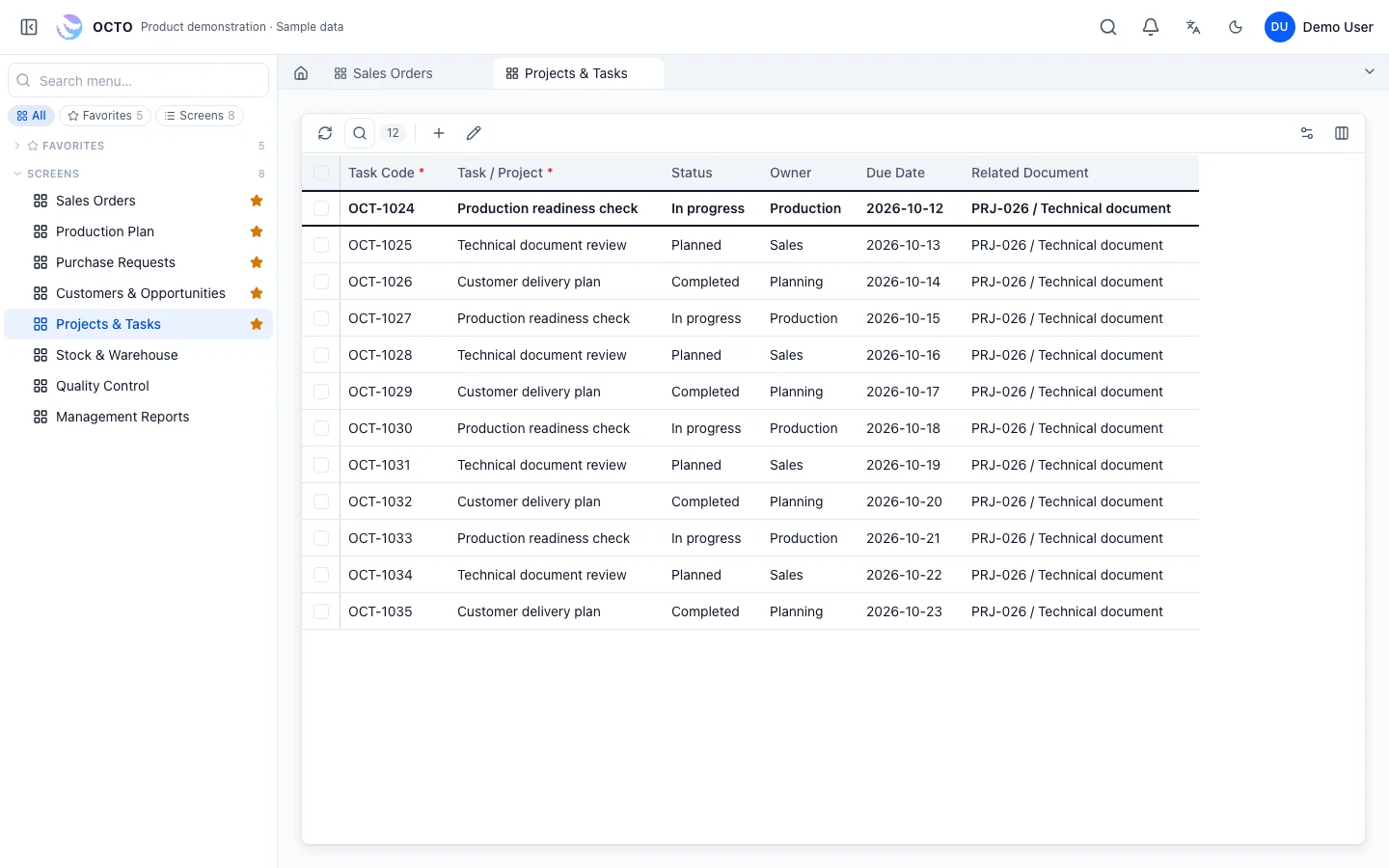
OCTO interface · sample data
Example responsibilities; access is configured during implementation.
Tracks stages, schedules, task ownership and progress.
Carries out assigned work and records documents, notes and completion.
Reviews decisions with the related records and documents and sees pending work.
Changes are assessed for their effect on data, permissions and existing records, then deployed after testing and user review.
Yes. Define the request type, owners and decision steps to start with a focused scope.
Define the new rule and owners, assess the effect on existing records, and apply it after user testing.
Steps, limits and owners are maintained by authorised users; changes can also be described in conversation with OCTO AI. They are tested against existing records first.
Yes. The notification reaches OCTO Mobile and the approval or rejection is given on the same record.
RELATED TOPICS
OCTO Business Processes runs request, approval, task and document flows across departments in one record structure.
Request, approval, task and document steps in a defined flow; who holds which step is visible.
A new record creates a task for its owner; the next step opens automatically after approval, replacing email chains.
Purchasing, leave, expense, equipment and IT requests; approval steps and limits per request type.
Single or multi-step approvals, delegation and notifications; approver, date and decision stay on the record.
From sales to production, quality to purchasing; work opened by one department appears in the other’s list.
Value limits, mandatory fields and conditional steps defined for your business; rule changes are tested before go-live.
Every approval is linked to its task and document; history is found in one place during audits. Documents and Knowledge →
ERP, manufacturing, customer management or a process unique to your business. Tell us what you need and let’s find the right starting point.