Sales representative
Works with customers, conversations, quotations and follow-up tasks.

OCTO · Ready solutions
Keep customer conversations out of scattered personal notes. Track opportunities, quotes and next steps together.
EVERYDAY USE
We can adapt this example flow to your responsibilities and record structure.
Record the customer and contact; note the need and next step.
Manage the opportunity with an owner, stage and follow-up date.
Create product or service quotation lines and track revisions and line status.
Convert the approved quotation into an order and continue after-sales follow-up with tasks.
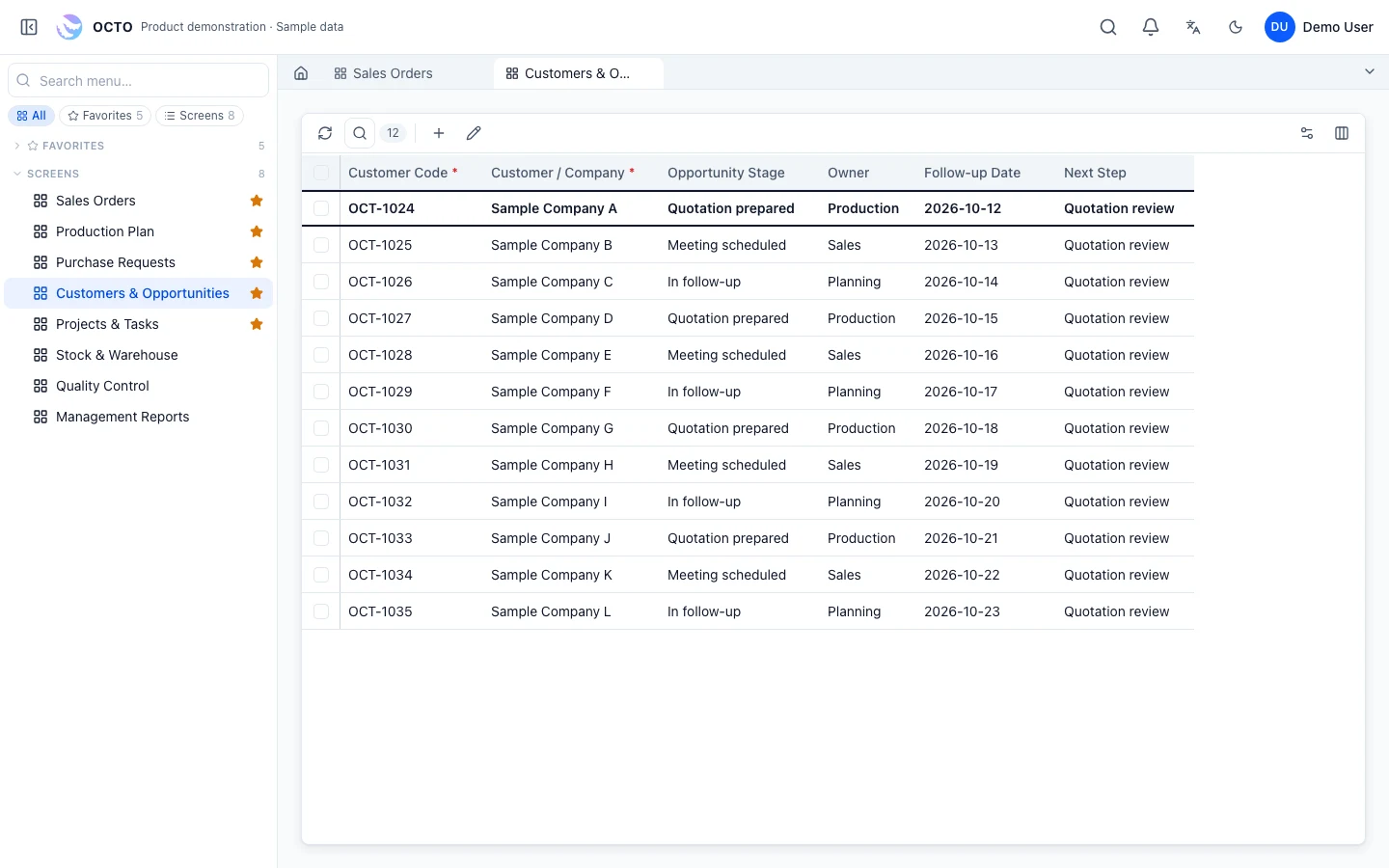
OCTO interface · sample data
Example responsibilities; access is configured during implementation.
Works with customers, conversations, quotations and follow-up tasks.
Reviews opportunities, owners and pending quotations.
Works from approved order and delivery information.
Changes are assessed for their effect on data, permissions and existing records, then deployed after testing and user review.
The documented quotation flow converts approved quotations into sales orders, transferring header and line information.
Existing customer and sales screens provide the starting point. Opportunity stages, follow-up tasks and custom fields are agreed during project analysis.
Yes. Quotes and orders live on the same platform as product definitions, stock and production plans, so sales can see where an order stands.
Quote fields, output layout and approval limits are configured for your business; the PDF output follows your existing template.
RELATED TOPICS
OCTO CRM combines customer relationship management with opportunity, quotation and after-sales tracking, and runs on the same platform as orders and production in manufacturing businesses.
Accounts, contacts, conversations and follow-up tasks on one record; the team sees the same customer history.
Each customer’s conversations, quotes, orders and complaints together, with the next step and its owner clear.
Sales targets, opportunities by team and win rates on a management board.
Stage, value, owner and expected close date; a sales pipeline by stage.
Quotes with products, quantities, prices and terms; revisions and customer responses on the same record.
Quotes above a discount or value limit go for approval; approver and decision stay on the record.
Post-delivery visits, complaints and service records linked to the customer; satisfaction stays visible.
An approved quote becomes an order, the order becomes a production plan; sales sees order status from production records. ERP and Manufacturing Management →
Customer visits, notes and opportunity updates are entered from OCTO Mobile. OCTO Mobile →
Visit plan, on-site record and next step; field team and office share the same record. Field and Service Management →
ERP, manufacturing, customer management or a process unique to your business. Tell us what you need and let’s find the right starting point.