Example user roles
Field worker, team lead, service manager.

OCTO · Ready solutions
Make field work visible to the office. Follow tasks, service records and customer visits through the mobile app.
EVERYDAY USE
We can adapt this example flow to your responsibilities and record structure.
Assign work to the team.
Record a visit or service on site.
Share completed work and the next step with the office.
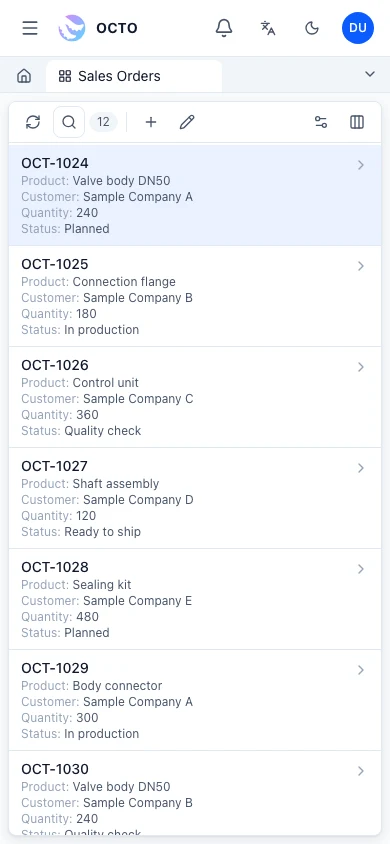
OCTO interface · sample data
Example responsibilities; access is configured during implementation.
Field worker, team lead, service manager.
Changes are assessed for their effect on data, permissions and existing records, then deployed after testing and user review.
Together, define users, sample records, screens and acceptance criteria. Existing features and custom work are distinguished in your proposal.
We assess data transfer and connectivity against the technical capabilities of your existing system.
Phones or tablets with OCTO Mobile; tasks, forms, photos and signatures go onto the same record.
Yes. Every service record is linked to the customer, location and equipment card; past services are visible from that card.
RELATED TOPICS
OCTO Field and Service Management runs task assignment, service records and customer visits from the field through OCTO Mobile, on the same records as the office.
Service request, work order, technician assignment and closure in one flow, linked to the customer and equipment record.
Breakdown, maintenance and installation records; work done, parts used and time on the same record.
Visit plan, on-site notes, photos and next step; sales and service teams see the same customer history.
Task, owner and due date assigned from the office; the field worker sees and closes the list in OCTO Mobile.
Status updates, photos and signatures from the field; the office sees them at once. OCTO Mobile →
Forms, tasks, approvals and reports in one mobile app; OCTO Mobile brings platform screens to the phone. OCTO Mobile →
Inspections, audits and site findings recorded on mobile forms; nonconformities opened from the same place. Quality Management (QMS) →
ERP, manufacturing, customer management or a process unique to your business. Tell us what you need and let’s find the right starting point.