Business unit
Describes the need, reviews OCTO AI’s plan and approves it.

OCTO AI · Custom applications
OCTO AI listens to your need in everyday language, proposes a plan for your approval and builds the screens, fields, business rules and actions on OCTO. You review the result and bring it into use with your team.
Write or describe your need. OCTO AI interprets the process, proposes a plan covering records, fields and actions, and waits for your approval.
Example request“I want an app that collects maintenance requests and assigns them to technicians by priority.”
With your approval, OCTO AI creates tables, fields, lookups, business rules and actions inside the enterprise platform. You see the result in OctoLab and change it through conversation.
The new screen opens; we agree permissions, testing and go-live steps with your team. The app runs on the web and on OCTO Mobile, and keeps improving through conversation while it is live.
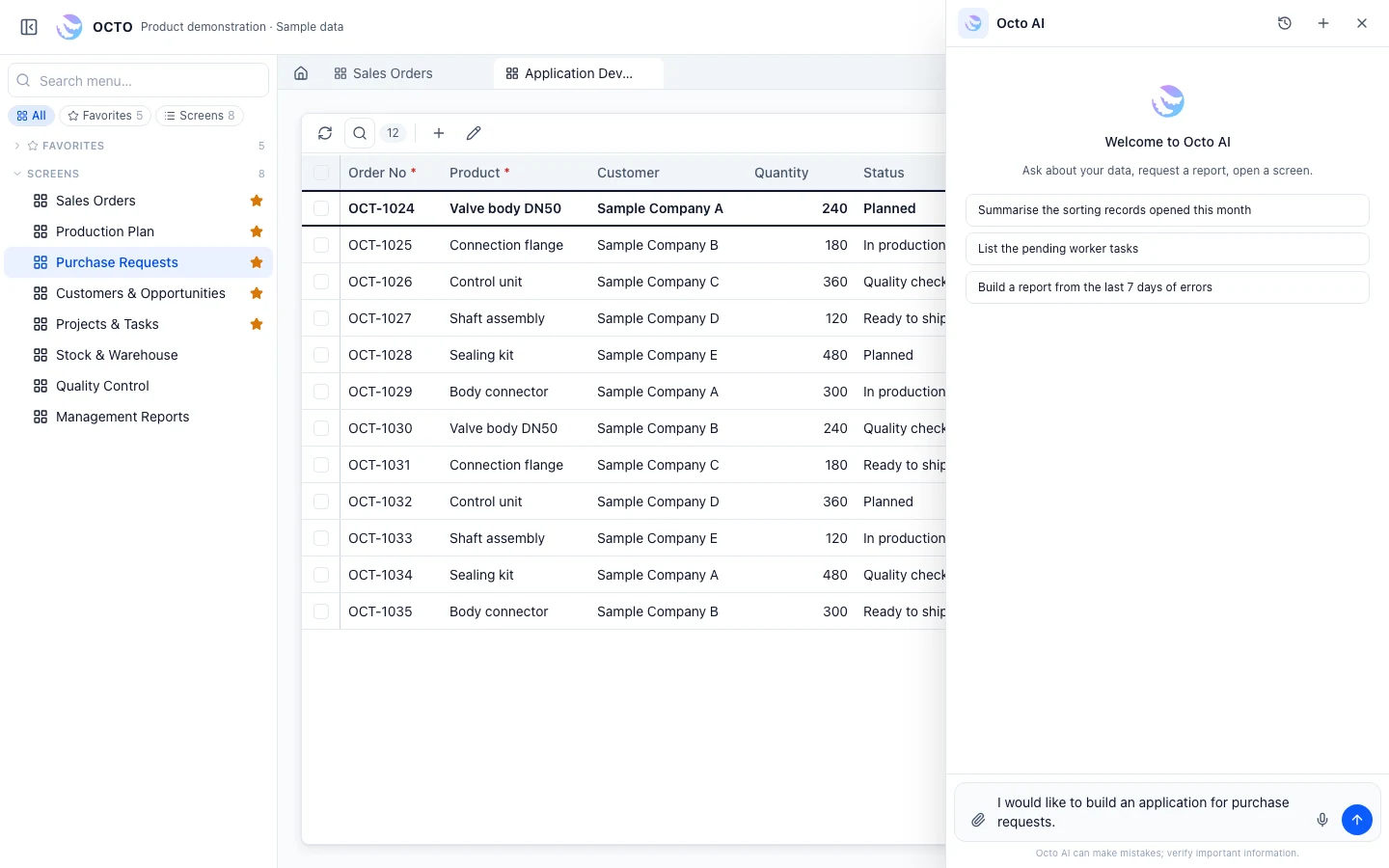
Actual AI flow · sample request and sample data
EXAMPLE FLOW
Request: the need is written in everyday language
Plan: OCTO AI proposes records, fields and actions
Approval: the plan is reviewed and approved
Build: tables, fields and actions are created
Screen: the new app opens in a tab
Use: the team enters records; development continues
WHY ON AN ENTERPRISE PLATFORM?
EXAMPLE REQUESTS
Example request“An app that keeps approved records of visitor and subcontractor entries.”
Example request“A flow that tracks sample requests from sales to R&D and back to the customer.”
Example request“A screen that reminds us of fleet maintenance and inspection dates.”
Example request“A suggestion scheme: employee ideas, evaluation and rewards.”
Example responsibilities; access is configured during implementation.
Describes the need, reviews OCTO AI’s plan and approves it.
Reviews the result in OctoLab and sets permissions and go-live steps.
Supports architecture, testing and go-live when needed.
Enter records on the new screen, on the web and OCTO Mobile.
There, Renium consultants build the application. Here, you or your team build it by talking to OCTO AI, with Renium alongside when needed.
Yes. On the first request it proposes a plan and waits for your approval. It then carries out the steps and summarises what it did.
No. The application is defined inside the OCTO platform and runs on shared records, users and permissions.
OCTO AI works within user permissions and the AI service configured for your installation. We review data scope with you during the technical assessment.
WHO IT IS FOR
Your team builds its own applications under licence, with Renium alongside when needed.
For IT teamsWe build the first application with you and hand it over to your team.
Custom Business ApplicationsERP, manufacturing, customer management or a process unique to your business. Tell us what you need and let’s find the right starting point.